LiveFlagship SaaS platform
Client intake that drafts the whole court filing.
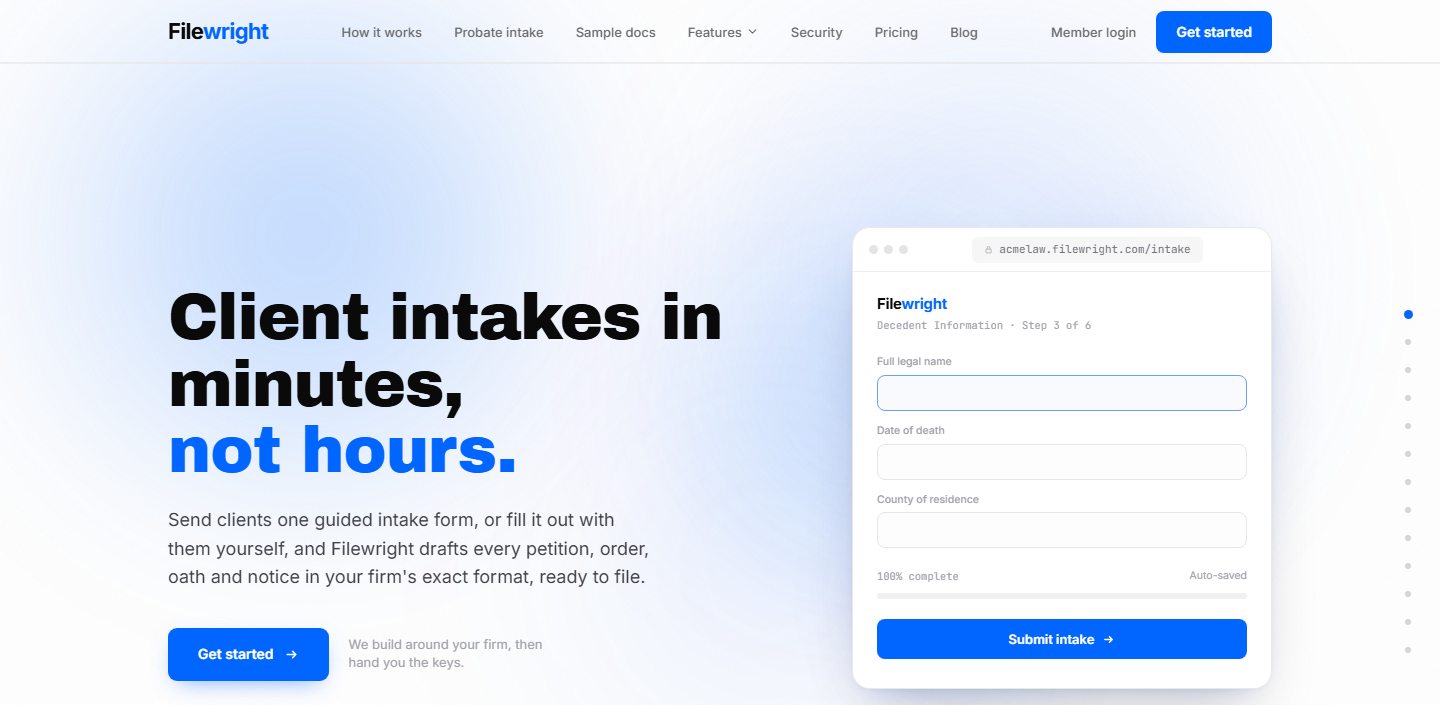
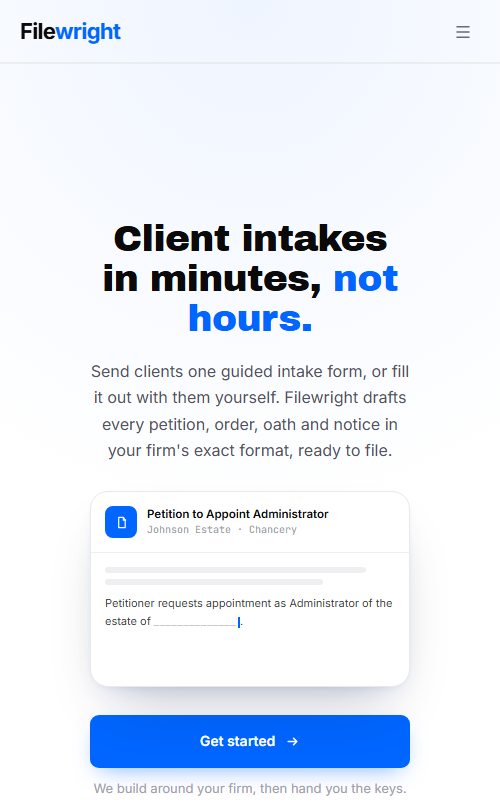
Filewright is a probate and trust platform for law firms. A client completes one guided intake, and Filewright drafts every petition, order, oath and notice in the firm’s exact format, ready to file. We designed and built the product end to end.
- Product
- Multi-tenant SaaS for law firms
- Practice areas
- Probate (testate and intestate) and trust administration
- Who it serves
- Solo practitioners to multi-attorney firms and paralegal teams
- Our role
- Product design, full-stack engineering and ongoing development
- < 5 minto send a client intake
- 0fields typed twice
- 17product features
- 3–5 hrssaved per matter, by Filewright’s estimate
The problem
Opening a probate estate means typing the same heirs, assets and dates into a petition, an order, an oath, a notice to creditors and a stack of waivers. Each one in the firm’s own format, each one a chance for a typo.
Client details arrive by phone, email and paper. Deadlines live in someone’s calendar. Small firms were paying for separate intake, document and e-signature tools that didn’t talk to each other.
The brief: collect everything once, from the client, and turn it straight into court-ready documents, with the rest of the practice built around it.
How it works
Four steps from a client’s first click to a filing-ready packet.
Step 1
Send
One click from the dashboard sends a branded email with a secure intake link. The client needs no app and no account.
Step 2
Intake
A guided form collects heirs, assets and dates, branching for testate, intestate and trust matters. Clients fill it in, or staff do it with them.
Step 3
Drafted
Petitions, orders, oaths, notices and waivers are pre-filled in the firm’s own format the moment the intake is submitted.
Step 4
Review and file
Attorneys edit in the browser with the client’s answers alongside, send for e-signature, then download once it’s ready.
What we built
Seventeen features in four areas, all sharing one record per matter.
Intake5
- Intake formsGuided, branching intake for testate, intestate and trust matters, with save and resume.
- Client portalA secure link; answers arrive as the client types.
- Probate workflowOpening documents draft the moment the client submits.
- Trust workflowTrustee, successor and beneficiary follow-ups, drafted at intake.
- Any practice areaManual case management with no intake form.
Documents4
- Document automationPetitions, notices, inventories and affidavits, versioned per matter.
- Word templatesFirms upload their own .docx and turn blanks into merge fields.
- Document editorEdit generated documents in the browser, answers alongside.
- E-signaturesMulti-signer signing inside the case.
Running the practice4
- Deadline trackingJurisdiction-specific deadlines captured at intake, synced to Google, Outlook and iCloud.
- Conflict checkHeirs, beneficiaries and adverse parties screened at intake.
- Client inboxClient email matched to the right case.
- ReportsOpen matters, drafted documents and output by person.
Firm and team4
- Team accessRole-based access for attorneys and staff.
- Team chatIn-app chat with presence and one-tap case sharing.
- Audit logWho did what, and when.
- White-label portalThe firm’s logo, colour, letterhead and subdomain.
Under the hood
Legal data demands more than a pretty interface. These are the engineering decisions that make Filewright safe to trust.
Tenant isolation in the database
Every firm’s data is separated by Postgres row-level security, enforced in the database itself rather than trusted to application code.
Encrypted, with an append-only audit log
All traffic over TLS, data encrypted at rest and in transit, and an append-only log of sign-ins, consent and access.
Privacy-first AI drafting
Direct identifiers are redacted before drafting, drafting runs only after recorded consent per matter, and client data is never used to train general-purpose models.
A real subscription engine
Self-serve plans with card sign-up, per-plan case limits, seat and case add-ons, overage billing, and warnings at 80% and 100% of a plan.
Calendar sync and reminders
Deadlines captured at intake flow to Google, Outlook and iCloud calendars with automatic reminders.
White-label, per firm
Each firm gets its own branded portal on its own subdomain, so Filewright stays invisible to their clients.
Every firm, its own portal
Each firm’s clients see the firm’s logo, colour and letterhead on the firm’s own subdomain. One platform, any number of branded front doors.
Billing built in
Self-serve plans with card sign-up, case limits, seat add-ons and usage-based overage, all handled by the platform.
Light
$1005 cases a month, 1 attorney and 1 staff seatProfessional
$24915 cases, deadline tracking, 1 attorney and 2 staff seatsFirm
$45040 cases, firm branding, 3 attorney and 5 staff seatsCustom
SalesMulti-office or 50+ cases a monthAdd-ons: extra cases $20, attorney seats $40, staff seats $25 a month. No annual contracts. Plans as listed on filewright.org.
Building a SaaS product? We build the whole thing.
Design, engineering, billing, security and hosting, from first sketch to paying customers. Tell us what you are building.